

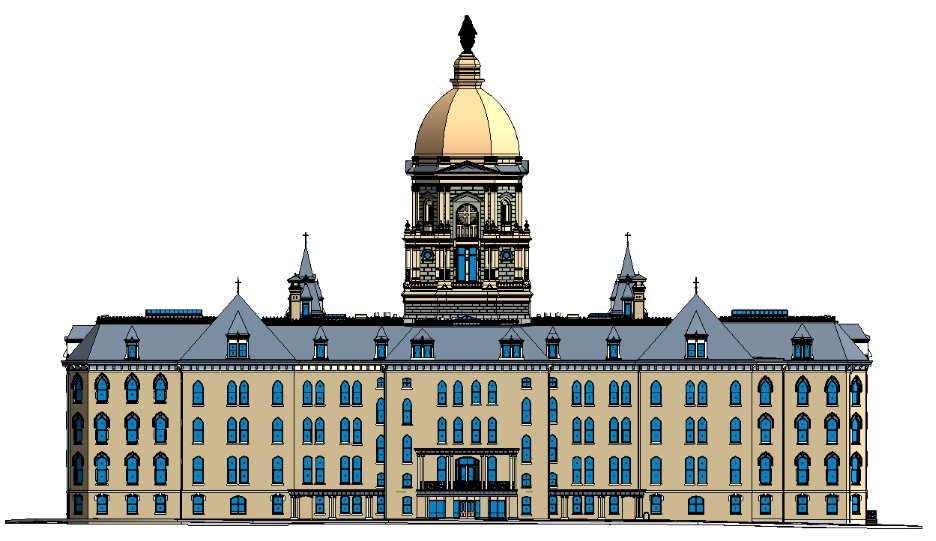
Imagine working on a renovation project with outdated floor plans and missing measurements. Frustrating, right? That’s where Scan to BIM steps in. It bridges the gap between real-world building conditions and intelligent digital models, empowering AEC professionals to make faster, more informed decisions while avoiding costly surprises on-site.
In this article, we’ll explore what Scan to BIM is, how it works, and why it’s become an indispensable tool across renovation, retrofit, and facility management projects.
Why Traditional Documentation Methods Fall Short
In the past, building documentation depended on manual surveys and 2D drawings. These approaches were labor-intensive and prone to human error, often leading to inaccurate records that hinder construction timelines and budgets.
Manual methods simply can’t match the speed and accuracy of today’s digital workflows.
Risks of Outdated Site Data
- Safety hazards due to incorrect measurements
- Costly rework from poor documentation
- Delays caused by non-compliance
- Inefficient coordination between teams
Scan to BIM eliminates these pain points by creating precise, data-rich digital representations of existing structures.
How Scan to BIM Works: Step-by-Step
Scan to BIM involves capturing a building’s current state using laser scanners, processing the data into a point cloud, and converting it into an intelligent BIM model.
Step-by-Step Workflow
- Laser Scanning & Data Capture: LiDAR scanners or drones record spatial data in formats such as RCP, RCS, E57, or LGS.
- Point Cloud Processing: The data is cleaned, aligned, and registered using tools like Autodesk ReCap.
- Importing to BIM Software: The processed point cloud is brought into Revit, ArchiCAD, or similar platforms.
- Modeling: Architectural, structural, and MEP components are created with varying Levels of Development (LOD).
- Quality Control (QA/QC): Models undergo thorough reviews to ensure accuracy and compliance with project standards.
- Delivery & Handover: The final output—a federated BIM model—is ready for design coordination and facility operations.
Key Tools and Technologies
- Hardware: Leica, Faro, Trimble, Matterport
- Software: Autodesk ReCap, Revit, Navisworks, CloudCompare, Faro Scene, Leica Cyclone
From Point Cloud to BIM
The level of refinement in the model depends on the desired LOD. High-fidelity models minimize design assumptions and support better planning.
When Should You Use Scan to BIM?
Scan to BIM is particularly useful when precision and existing condition accuracy are critical to a project’s success.
Ideal Use Cases
- Renovation and retrofit projects
- MEP system upgrades
- Historical building conservation
- Facilities management
- Energy modeling and green retrofits
- Construction sequencing and phasing
Renovation vs New Build
New builds typically start with fresh plans and digital models. In contrast, retrofit projects often lack reliable documentation making Scan to BIM a game-changer.
Understanding LOD in Scan to BIM
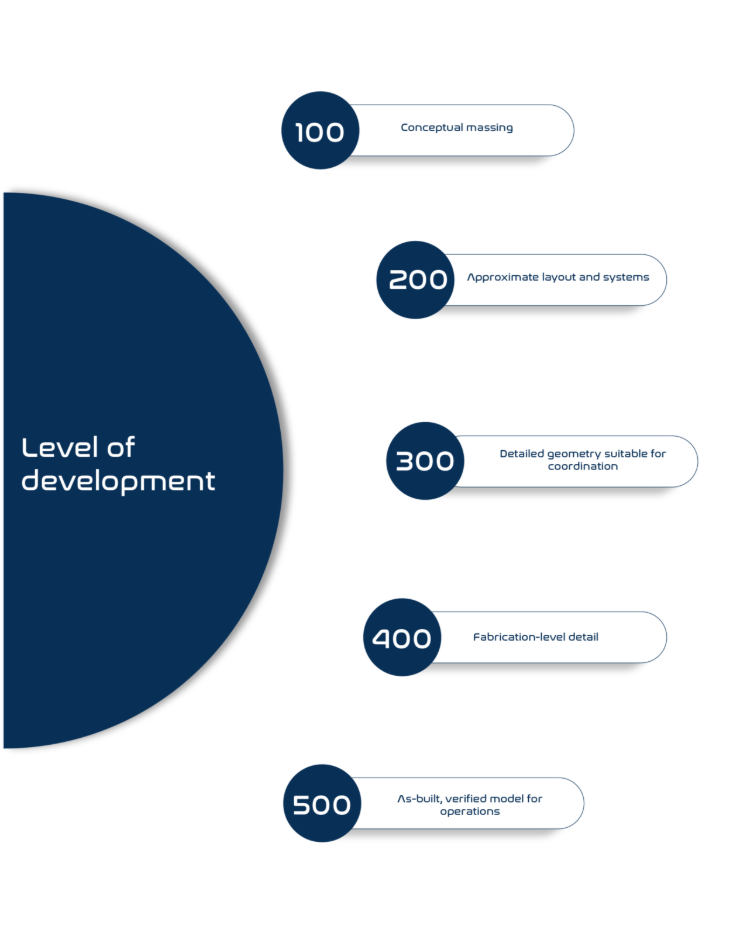
Levels of Development (LOD) indicate the level of detail and reliability of a BIM model.
Alt text: A comparison table illustrating LOD 100 to LOD 500. LOD 100 shows basic shapes, LOD 200 includes approximate layouts, LOD 300 displays coordinated geometry, LOD 400 contains fabrication-level detail, and LOD 500 represents verified as-built conditions..
LOD Categories
- LOD 100: Conceptual massing
- LOD 200: Approximate layout and systems
- LOD 300: Detailed geometry suitable for coordination
- LOD 400: Fabrication-level detail
- LOD 500: As-built, verified model for operations
Tailoring LOD to Project Needs
Not all projects need the same level of detail. Selecting the right LOD helps avoid unnecessary effort while meeting downstream requirements.
Accuracy, Tolerances, and BIM Execution Plans
A successful Scan to BIM project begins with clearly defined expectations.
Key Project Parameters
- Accepted tolerances (e.g., ±10mm)
- Modeling precision and scope
- Chosen file formats and software interoperability
- Defined team roles and timelines
The Importance of a BIM Execution Plan (BEP)
A BEP ensures that all stakeholders are aligned on deliverables, model accuracy, coordination workflows, and naming conventions.
Pro Tip: Smaller firms can leverage cloud-based platforms to streamline coordination and reduce costs.
Common Challenges—and How to Overcome Them
While powerful, Scan to BIM isn’t without its hurdles. Here’s how to address the most common ones:
- Noisy or incomplete data: Combine LiDAR with photogrammetry and apply data cleaning techniques.
- Registration errors: Use precise control points and follow a structured scan strategy.
- Over-modeling: Match the model’s complexity with its intended use to save time and cost.
- High initial investment: Leverage cloud-based modeling or remote teams to lower setup costs.
Modeling from Inaccessible or Occluded Areas
When parts of a structure are hidden or inaccessible, modelers make informed assumptions that are flagged for future verification.
Real-World Applications and Case Examples
Scan to BIM isn’t just theoretical. It’s used across industries to solve real construction challenges.
Industry Use Cases
- Healthcare: In hospital retrofits, Scan to BIM reduces coordination errors by capturing legacy MEP layouts in detail.
- Retail: Brands use Scan to BIM to remodel dozens of stores with consistent layouts and documentation.
- Aviation: For terminal upgrades, accurate as-builts help avoid disruptions during phased construction.
- Heritage: Point cloud scans preserve structural integrity while enabling digital restoration.
- Commercial Real Estate: Office conversions benefit from accurate area takeoffs and faster leasing strategies.
Typical Project Deliverables
- 3D Revit models
- 2D floor plans and elevations
- Clash detection reports
- COBie datasets
- Section views and schedules
Choosing the Right Scan to BIM Partner
Not all providers are the same. Choosing the right partner makes a significant difference in project outcomes.
What to Look For
- Experience with complex point clouds and LOD standards
- Compatibility with your design or FM platforms
- Inclusion of QA/QC and clash detection processes
- Familiarity with local regulations and codes
Note: In Europe, firms may need to align models with ISO 19650 standards or public BIM mandates.
Red Flags
- Lack of standardized processes
- Vague or inconsistent deliverables
At SPA, we offer end-to-end Scan to BIM services that transform laser scan data into intelligent, construction-ready BIM models. Whether it’s a small retrofit or a large infrastructure project, our experienced team ensures each model is built to match the required Level of Detail (LOD) and project standards.
We support a range of use cases, including:
- Precise as-built documentation
- Heritage conservation
- MEP coordination and analysis
- Facility asset management
- Renovation and fit-out planning
Our models are developed using high-accuracy point clouds and processed using tools like ReCap and Revit, ensuring seamless integration with your project workflows. From onsite scanning to final model delivery, we follow a strict QA/QC protocol to deliver models that are clean, consistent, and reliable.
Explore our full range of Scan to BIM capabilities at https://www.studioparametric.com/service_template/ctb.html
Understanding Pricing Models
Scan to BIM pricing is typically structured around scope, complexity, and turnaround time.
Common Pricing Approaches
- Per square foot/meter
- Hourly rates for modeling
- Fixed-scope pricing based on LOD and deliverables
Factors That Influence Cost
- Size and geometry of the building
- Level of Detail (LOD) required
- Site access and scan clarity
- Timeline and review cycles
Emerging Trends: What’s Next for Scan to BIM?
As the AEC industry continues to digitize, Scan to BIM is evolving with technologies like:
- AI-assisted modeling: Tools that automate model generation from point clouds, accelerating workflows and minimizing manual errors.
- VR/AR visualization: Enables real-time, immersive walkthroughs using BIM models, allowing better coordination and client engagement.
- Integration with ESG goals: Scan to BIM plays a growing role in sustainable retrofits, carbon tracking, and compliance with environmental regulations.
FAQs: Scan to BIM Explained
Q1. What is the difference between Scan to BIM and traditional surveying?
Traditional surveying provides 2D snapshots. Scan to BIM delivers an interactive, data-rich 3D model.
Q2. How accurate is Scan to BIM?
Accuracy typically ranges from ±5mm to ±10mm, depending on the technology and execution.
Q3. Which software is used in Scan to BIM?
Popular tools include Autodesk ReCap, Revit, Navisworks, CloudCompare, Faro Scene, and Matterport.
Q4. Can Scan to BIM be done remotely?
Yes data can be captured onsite and then modeled by remote teams with the right coordination.
Q5. Is Scan to BIM only for large projects?
No. It’s equally effective for small renovations or tenant improvements.
Q6. What are the standard deliverables?
Deliverables range from 3D Revit models and 2D drawings to COBie data and clash reports.
Q7. How long does a typical project take?
Small commercial sites (under 10,000 sq. ft.) may take 3–5 days. Larger buildings may require 2–4 weeks, depending on LOD and complexity.
Conclusion: From Site Reality to Strategic Decisions
Scan to BIM is transforming how the AEC industry captures, models, and manages built assets. From reducing rework to enhancing sustainability and enabling lifecycle planning, it provides a high-fidelity foundation for smarter project delivery.
Whether you’re restoring a heritage site or reconfiguring a commercial interior, accurate digital models remove the guesswork—and let you build with confidence.
Interested in applying Scan to BIM for your next project?
Contact us today for a free consultation and discover how data-rich models can drive smarter decisions.
References
- Autodesk. (n.d.). Scan to BIM for land development. Retrieved August 2025, from https://www.autodesk.com/industry/land-development/scan-to-bim
- NovaTR. (2023). Your Complete Guide to Scan to BIM. Retrieved from https://www.novatr.com/blog/scan-to-bim-guide
Techture. (2023). Introduction to Scan to BIM and What Is Laser Scanning. Retrieved from https://www.techture.global/blog/introduction-to-scan-to-bim-and-what-is-laser-scanning